
Library Policies
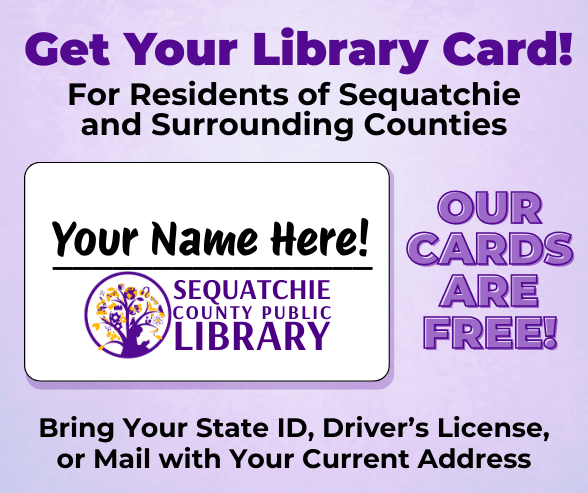
Library Cards
🆔 To get a card, bring a valid ID (like a driver’s license or passport) or a piece of mail showing your name and current address.
🎉 First card is free! A $5 fee applies for lost or damaged cards.
🌟 We serve all Sequatchie County residents and welcome neighbors from nearby counties.
👨👩👧👦 Children under 18 must be accompanied by a responsible adult. That adult must show ID and sign for the child’s card – agreeing to be responsible for any fines or lost/damaged materials.
🏠 Checkout limits are applied by household/address. Getting additional cards won’t increase those limits.
📱 OverDrive & Libby (ebooks & audiobooks) have a 15-item limit per card. Each family member with their own card can have their own holds list and suggestions on the Libby app.
💳 Replacing a card costs $5. Your barcode will change, and old accounts/barcodes for OverDrive/Libby will no longer work.
Having your own card gives you personal access to materials and digital resources—perfect for keeping your reading organized! ✨
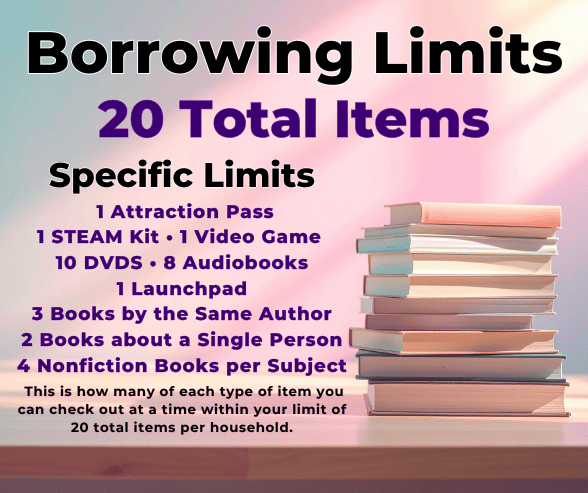
Item Borrowing Limits
Each household may check out up to 20 total items at a time.
Within that limit, the following item-specific limits apply:
🎟️ 1 Attraction Pass
🔬 1 STEAM Kit
🎮 1 Video Game
💿 10 DVDs
🎧 8 Audiobooks
📱 1 Launchpad
📚 3 Books by the Same Author
👤 2 Books About a Single Person
📖 4 Nonfiction Books per Subject
❌ Exception ❌
You can only borrow 1 Item from the Library of Things at a time, but you get that item for 4 Weeks (28 days).
These limits help ensure fair access for all patrons while still giving your household a wide variety of materials to enjoy.
To make sure all families can enjoy them, we ask that each child check out no more than 2 seasonal or holiday books at a time.
Borrowing may be temporarily paused for your household if any connected account has overdue or lost items. Once those items are returned or resolved, borrowing can resume.

Borrowing Times & Fines
Loan Periods & Renewals
🗓️Most items are due 2 weeks after checkout.
📞You may call the library during business hours to renew most items.
📖You can also renew your items once by logging in to our online catalog.
❌ Exception ❌
🎟️ Attraction Passes are due 1 week after checkout and cannot be renewed.
✨ Fine-Free Policy
As of March 15, 2022, the Sequatchie County Public Library is a fine-free library!🎉
✔️ No late fees for overdue books, DVDs, or audiobooks
✔️ All past late fines forgiven
⚠️ Patrons are still responsible for lost or damaged items.
❌⚠️Special Items With Late Fees⚠️❌
Some high-demand items have a $1/day late fee because keeping them past their due date prevents others from using them:
🎒 Kits
🎮 Video Games
📱 Launchpads
🧰 Library of Things items
🎟️ Attraction Passes
Please return these items on time so everyone can enjoy them! 🌟
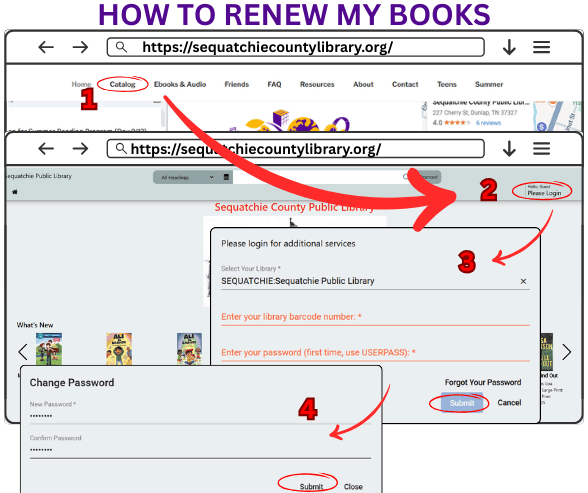
How to Renew My Books ONLINE
1. 🌐 Go to the Library’s Website
Click on the “Catalog” option in the top menu bar.
2.🔑 Log In to Your Account
Once the Catalog page loads, click the “Please Login” link in the top right corner.
3.✍️ Enter Your Login Info
A pop-up will appear asking for:
➤ Library Card Number – found on the back of your card under the barcode.
➤ Enter the full number without spaces and include any letters.
➤ Password – If this is your first time logging in, use: USERPASS (all caps, no spaces)
✅ Click Submit
4.🔒 First-Time Users: Change Your Password
If it’s your first time logging in, you’ll be prompted to create a new password.
💡 Need help?
If you forget your password or need assistance, call the library during business hours—we’re happy to help! 📞✨
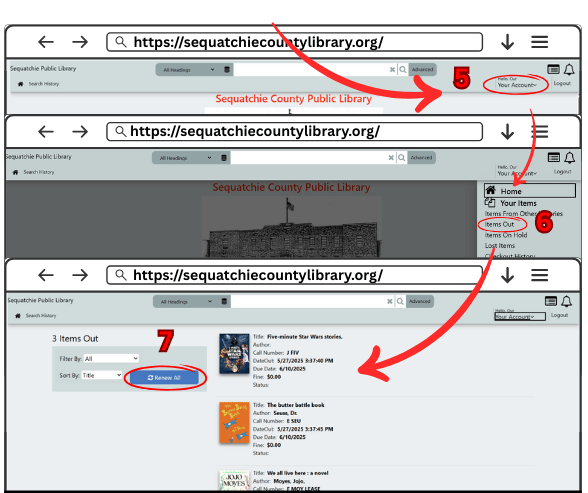
5.👀 View Your Account
6.🏛️After logging in, click on “Your Account.”
From the menu, select “Items Out.”
7.🔄 Renew Your Items
You’ll see a list of everything you currently have checked out.
➤ Most items can be renewed one time. After that, they must be returned to the library.
⚠️ Note on Renewals
Some materials, like passes or kits, cannot be renewed.
📞 Need help?
If you have any issues or need assistance, call us or stop by! We can renew items for you over the phone.
Special Circumstances
You can renew your items one time.
After that, we kindly ask that they be returned.
If you ever have special circumstances—like illness or other challenges—please give us a call. We’re happy to work with you to make using the library as easy and stress-free as possible!
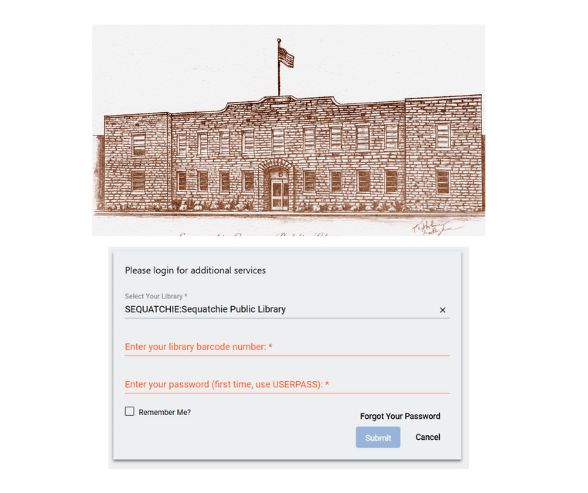
Use Our Online Catalog
🌐 Go to Our Catalog
You can browse without logging into the site. Just type your subject, title, or author into the search bar at the top of the page. If you want to access your library account or place a hold, you will need to login.
🔑 Click on “Please Login” in the upper right corner of the page.
🏷️ Choose: SEQUATCHIE: Sequatchie Public Library
🆔 Enter Your Library Card Barcode
Type the letters and numbers exactly as they appear on the back of your card.
🔐 Enter Your Password
If it’s your first time logging in, use USERPASS.
All Caps. No Spaces.
❓ Forgot Your Password?
Click the “Forgot Your Password” link. If you do not have an email on file with us, this will not work for you.
📞🏛️ Need Help?
If you need assistance resetting your password, call or stop by the library. Our staff cannot view your password, but we can reset it to USERPASS for you.
Get Online Here!
Free public Wi-Fi is available throughout the library during normal business hours. No password is required; however, please note that it is an unsecured network. The Wi-Fi network name is “SEQ Public Access.” Wi-Fi/wireless printing is not available at this time.
Library computers with internet access are available on a first-come, first-served basis at no charge. Each computer session is 1 hour and 30 minutes. Patrons may use the computers multiple times per day; however, anyone who has not yet had a turn will be given priority before someone begins an additional session. If no one is waiting, staff may extend a session beyond the standard time. Please be aware that if computers are full and another patron arrives to use one, a user with an extended session may be asked to log out.
The Computer Room closes at 6:30 PM on Mondays, 5:30 PM on Tuesdays and Wednesdays, and 4:30 PM on Fridays.
The Media Room is a designated quiet space; cell phone use and playing audio without headphones are not permitted.
Library staff do not provide computer instruction or assistance with external storage devices. Patrons should bring their own USB drives to save their work. Staff cannot fill out forms, repair computers or phones, or assist with online purchases. All library computers reset after each use, and any saved files or downloads are permanently deleted and cannot be recovered.
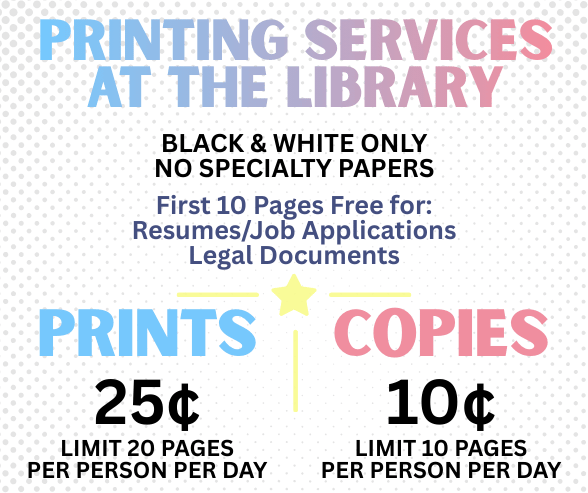
Prints & Copies Services
The library offers printing and copying services in black and white on standard 8.5″ × 11″ paper. We can only print on library-provided paper and cannot print on labels, sticker sheets, or any specialty or unusual paper.
ALL Prints or Copies
📑First 10 pages of résumés, job applications, tax forms, or legal paperwork are free
📑Black & white only
📑Standard 8.5″ × 11″ size
Printing
📃Limit: 20 pages per person per day
📃Cost: 25¢ per page
Copies
📄Limit: 10 pages per person per day
📄Cost: 10¢ per page
Wireless & Device Printing Limitations
📝 We cannot print wirelessly from your phone.
📝 Upload your file to your email or cloud account and print from a public computer.
📝 A charging cord might work to transfer files, but not for all devices.
📝 Staff can try to help, but we are not tech experts and cannot repair devices.
📝 All public computers run Windows 11 (no Apple or Linux machines).
📝 You cannot connect a device directly to the printer.
📝 We cannot accept emailed documents for printing due to safety and privacy concerns.
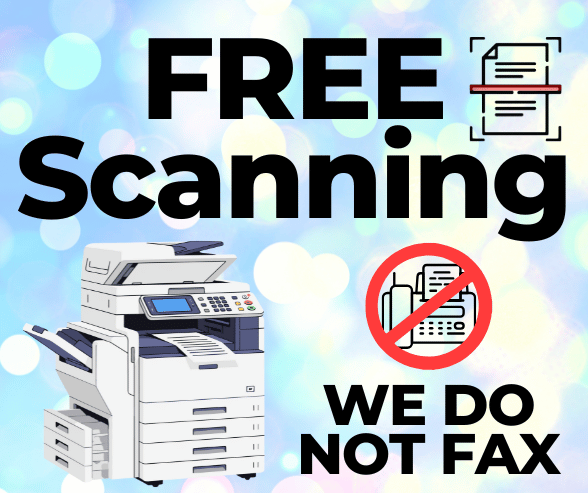
Fax & Scanning Services
❌ We do not offer fax services at this time.
Some area banks and businesses may offer fax services. You will need to call them directly for details.
🖨️ Scanning Documents
📄 We can help you scan documents using a library-owned USB drive. Our staff will scan your document, transfer the file to a library computer in the Computer Room, delete the file from the USB drive, and then leave you in control of the file so you can save, edit, or print it as needed.
📧 Please note that we cannot scan and send documents directly to email.
💰 Scanning is free of charge, but there are a few limits: if your document cannot go through the scanner’s autofeed tray, we can only scan up to 10 pages at a time.
💻 This process allows you to work with your scanned files on our Windows 11 computers, but please remember to bring a blank USB drive if you want to save your documents for later.
⚠️ We may refuse to scan documents that are dirty, greasy, overly delicate, or could damage our equipment.
🖨️ Printing and scanning are handled directly by staff—only library staff are allowed to operate our machines.
📄 Delicate, fragile, or crumbling pages will be scanned only on a case-by-case basis, and we cannot scan entire books. If staff feels an item is too heavy for the scanner, it will not be scanned.
Use Study or Meeting Space
The library offers semi-private study space for patrons during our regular business hours on a first-come, first-served basis. While we prioritize our programs and events, this space is available for quiet, non-commercial activities such as tutoring sessions, study groups, job or video interviews, and proctored tests.
Please note:
- The space cannot be used for selling goods or admission-charging events.
- No food or open drinks are allowed in the study area. (Closed-lid drinks are okay.)
If you’re interested in using the study space, please call to discuss your needs with our Director.
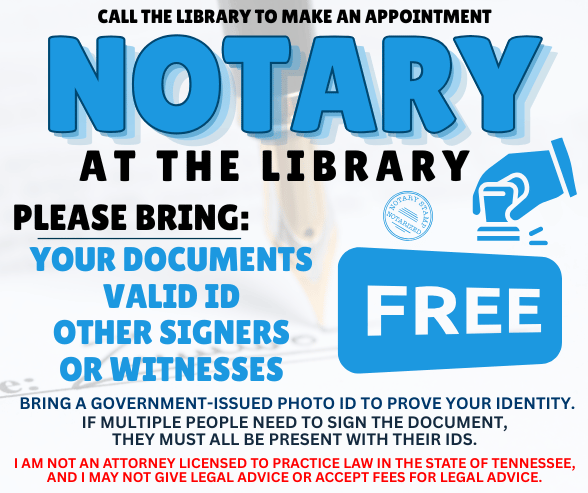
Free Notary Service
The library offers free notary services by appointment. Please call the library to schedule a time, as our notary is not always available, and walk-ins may not be accommodated.
What to bring:
- All documents that need notarization
- Valid photo ID for yourself and any other signers or witnesses
- All parties must be present if multiple people are signing
Please note:
- Our notary cannot give legal advice and is not a licensed attorney in Tennessee.
- Notary services are free, but we cannot give legal advice or accept fees for legal advice.
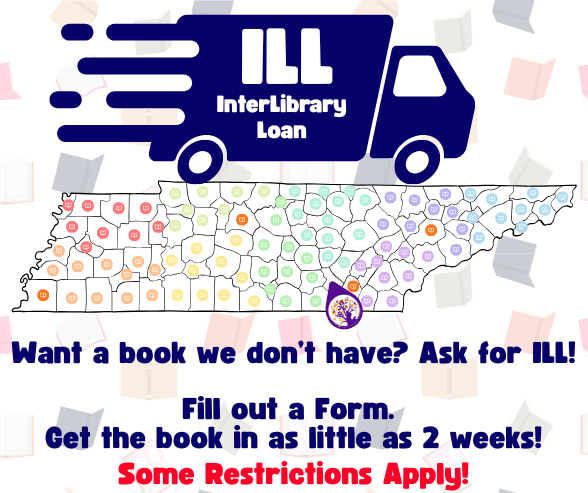
What are Inter Library Loans?
Interlibrary Loans (ILL)
If the library doesn’t have the book you want, we can request a copy from another library in Tennessee through our Interlibrary Loan (ILL) service.
How it works:
📌 Stop by the library and ask about the title you’re interested in.
📌 If we don’t own it, you can fill out an ILL request form.
📌 We’ll try to borrow it from another library in the state.
Please note:
⚠️ Most new releases (last 3 months), rare, expensive, out-of-print, or special collection books may not be available.
⚠️ We do not borrow DVDs, audiobooks, or other special collection materials.
⚠️ Availability depends on other libraries; we cannot guarantee fulfillment or timelines.
⚠️ Books borrowed via ILL are loaned for 14 days. No renewals.
⚠️ While our library is fine-free, the lending library may charge late or damage fees, which you are responsible for.
💡 Tip: You can also check OverDrive or the Libby app for electronic copies to borrow instantly!
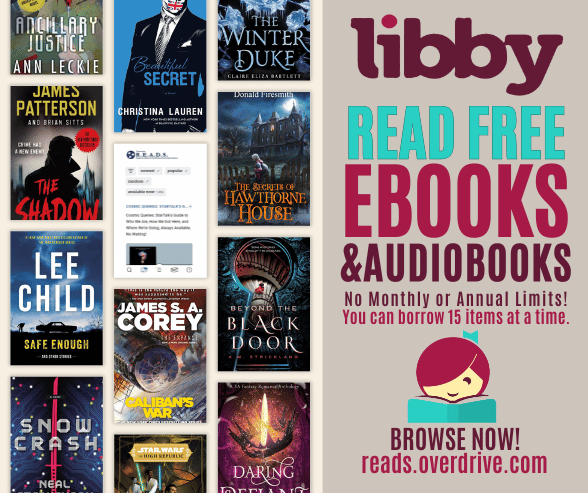
How to Download Libby – Your Free Ebooks & Audiobooks App!
Want free ebooks and audiobooks at your fingertips? Here’s how to get started with Libby:
- 📱 Go to https://reads.overdrive.com/ on your phone, tablet, or e-reader.
- ⬇️ Scroll down until you see a maroon/red bar that says “Meet Libby.”
- 🔗 In that bar, choose your device: Google Play (Android) or App Store (Apple/iOS).
- 📥 Download and install the Libby app.
- 🎉 Open Libby, follow the simple prompts to find our library, and sign in with your library card.
💡 Need a hand? Call or stop by the library—our friendly staff will help you
Getting Help & Tips
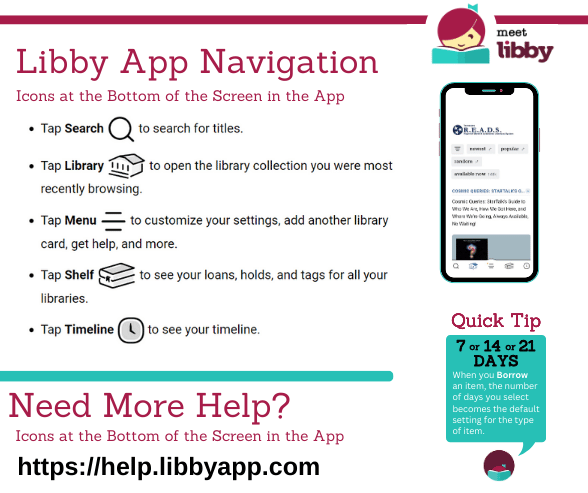
💡 Check out help.libbyapp.com – Libby’s official help site is full of tips and advice to get the most out of your ebooks and audiobooks! You’ll find great information like:
📖 Reading Libby Books on Your Kindle
Most Libby books (U.S. only) can be read on a Kindle. If you’re using a Fire tablet, we recommend reading with the Libby app instead.
Here’s how to get started:
- 📚 Tap Shelf in Libby.
- 📖 Tap Loans at the top of the screen.
- 🔗 Tap Read With…
- 📱 Tap Kindle – you’ll be taken to Amazon’s website.
- 🛒 Sign in to your Amazon account if prompted and tap Get Library Book. Your book will appear on all Kindle apps and devices linked to your account.
Read ebooks & Audiobooks on Your Browser
🌐 Access Free Ebooks & Audiobooks Online! – Using reads.overdrive.com, you can borrow ebooks, audiobooks, and magazines, read in your browser, and transfer ebooks to supported ereaders.
📖 How to get started:
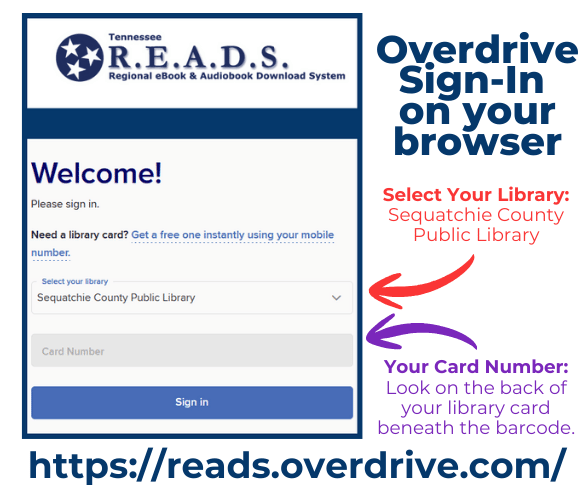
- Go to https://reads.overdrive.com/.
- Click “Sign In” in the upper right corner.
- Choose “Sequatchie County Public Library” from the dropdown list.
- Enter the barcode from the back of your library card (letters and numbers included) and start exploring!
Genealogy: When, Where, & Who Did You Come From?
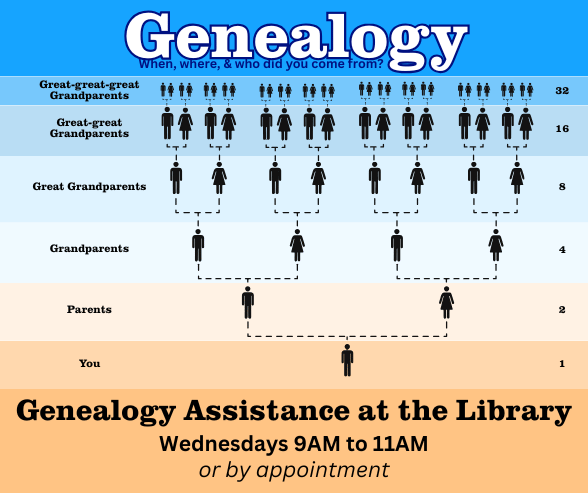
Curious about your family history? Genealogy is the study of the people and stories that came before you—discovering who your ancestors were, where they lived, and how your family’s journey connects to today.
Genealogy Assistance Available
Our staff can help you get started, locate records, and explore genealogy resources.
🗓 Wednesdays: 9:00 AM – 11:00 AM
📅 Or by appointment
Staff time is limited, but we will assist you as best we can.
Questions or appointment requests:
📧 info@sequatchielibrary.org
🐝 Bee a Library Volunteer! 🐝
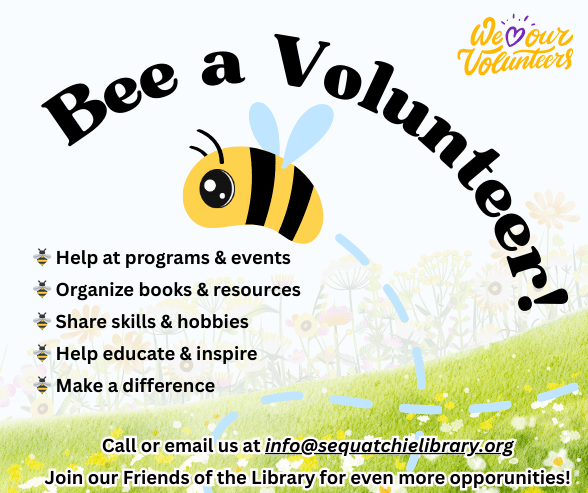
Love your library? Want to help your community? We’re looking for friendly faces to join our volunteer team!
✨ Ways to help:
🐝 Help at programs & events
🐝 Organize books & resources
🐝 Share skills & hobbies
🐝 Help educate & inspire
🐝 Make a difference
Volunteering is a fun way to meet people, give back, and support learning for all ages. You can also join our Friends of the Library for even more ways to get involved and support the library!
📍 Stop by the library or email info@sequatchielibrary.org to get started!
Come BEE🐝part of something great!
Special Collections
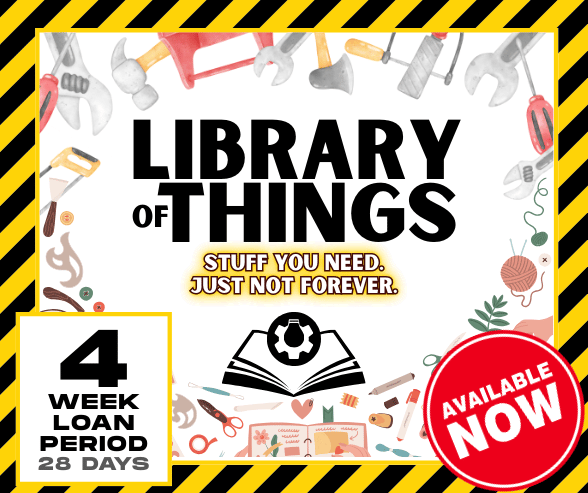
Library of Things🛠️🧵
We’re excited to introduce a unique addition to our library — the Library of Things! 📚➡️🧰
This collection lets you borrow useful tools and equipment, just like you would a book. Whether you’re tackling a DIY project, preserving your harvest, or mending clothes, we’ve got you covered.
What is the Library of Things?
It’s a growing collection of non-traditional items for checkout — practical tools you might need occasionally, but don’t want to buy. Think sewing machines, canning kits, power tools, and more!
📋 Checkout Policy:
✔️ One item per household
⏳ 4-week loan period (28 days)
🔞 Borrowers must be 18+ and will be required to sign for the item due to high replacement costs.
Please borrow responsibly! Return all items clean, complete, and in working order so others can enjoy them too. Treat them as you would your own.
📁 How to Browse Items
Due to space limitations, items are not on the shelves. Instead, check out our Library of Things Binder at the front desk — it includes photos and detailed information about each item. Just ask and we’ll be happy to show it to you!
💡 Help Us Grow
This is just the beginning! We hope to expand the collection based on your interests and suggestions. What would you like to see added to our Library of Things?
Come explore — and borrow something new today! 💡🧰📦
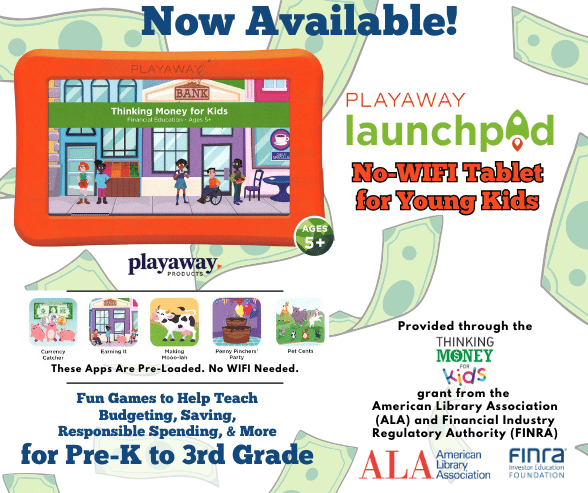
Kids No Wifi Tablets
Discover a world of fun and learning with our new Playaway Launchpads, available for checkout at the library! Designed for Preschool to 3rd Grade, these tablets come pre-loaded with engaging educational content and a simple, kid-friendly interface.
No Wi-Fi? No problem! Just turn them on and start playing anytime, anywhere. These games are entirely offline!
🎮 What’s on the Launchpad?
Thanks to the Thinking Money for Kids grant from the American Library Association & FINRA, our six sturdy tablets feature five exciting games:
🐄 Making Mooo-lah
💰 Currency Catcher
🎉 Penny Pinchers’ Party
💵 Earning It
🐾 Pet Cents
⏳ Checkout Info:
2-week loan period
Built to share and withstand energetic little hands!
💡 Share Your Feedback:
When you return a Launchpad, take a quick survey to help us track the impact of this grant.
Unleash creativity and financial literacy—check out a Launchpad today!
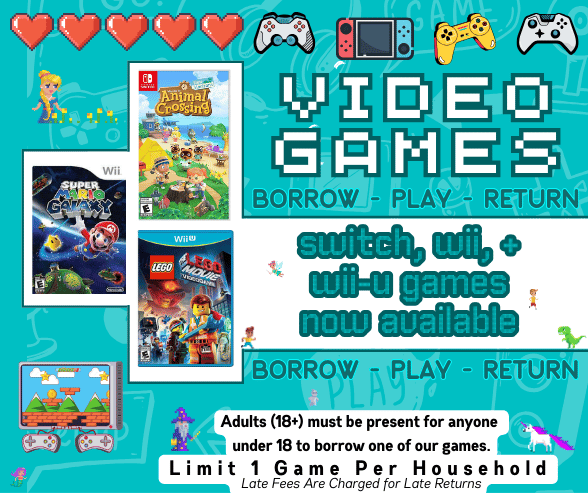
Borrow Video Games
🎮 Video Games Now Available for Checkout!
Exciting news—video games are now part of our collection!
Systems: Wii – WiiU – Nintendo Switch
Borrow and enjoy games at home with these simple guidelines:
🕹️ Checkout Rules
🎯 Limit 1 game per household
⏱️ Games are first-come, first-served—no holds or reserves
🔄 Games can be renewed 1 time. After that, $1/day late fee applies
💳 Borrower Responsibility
⚠️ Patrons are responsible for the full replacement cost if a game is lost or damaged
👤 Only adults (18+) may check out a game. Children must have an adult sign for the game and accept responsibility for replacement costs
✨ New Additions & Donations
🎁 Thanks to a generous donation, we now have several older game titles available!
🙏 If you’d like to donate new or gently used games, we accept them for any console. Your support is greatly appreciated!
Come explore our collection and level up your fun at home! 🎉🎮
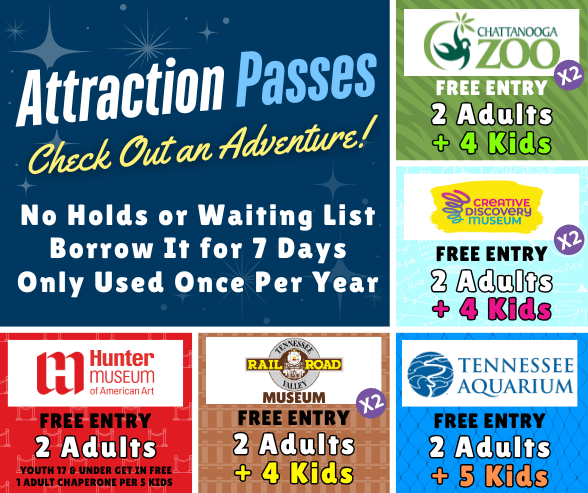
Borrow a Free Pass
🎟️ Free Family Fun with Your Library Card!
Planning a family outing? Don’t forget — your library card unlocks FREE attraction passes to some of Chattanooga’s favorite spots! 🐯🎨🧪🚂
How Attraction Passes Work:
✅1 pass per household at a time
⏳7-day checkout period
🚫No renewals or repeats(1 per year, per household)
💵$10/day late fee for overdue passes
🅿️Free parking at Zoo & Railroad Museum only
📅Check the attraction’s website for special events or blackout dates
📚Must have a library card in good standing (no overdue items or fees)
🎉Passes Reset Annually! Each pass can be borrowed once per year, starting in January and ending in December.
✅ Example: If you borrowed a pass in December 2025, you can borrow it again in January 2026.
New to the Library?
Library cards are free with valid ID and proof of address. After checking out and returning one item, wait 2 weeks and you’ll be pass-ready!
🎉 Passes are first-come, first-served — no holds, no exceptions.
✨ We have 2 passes each for the Zoo, Railroad Museum, and Creative Discovery Museum. These cover the entry fees for 2 Adults and up to 4 Kids.
The pass for the Hunter Museum of American Art is only for 2 Adults, but children17 and under always get in for free.
The pass for the Tennessee Aquarium is for 2 Adults and up to 5 children.
Each household may borrow each pass once per year, and the extra copies mean more families can enjoy the fun!
Have questions? Call, message, or stop by — we’re happy to help! 💛
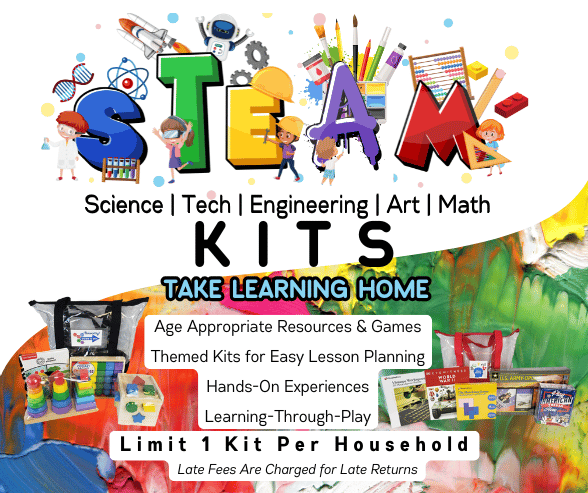
STEAM Kits
🧪🔧🎨 Looking for a fun, hands-on way to spark curiosity and creativity? Try one of our STEAM Kits, designed for kids 12 & under!
These kits let children explore Science, Technology, Engineering, Art, and Math while developing critical thinking and problem-solving skills. Families can enjoy interactive learning together, strengthening bonds and creating lasting memories — all while nurturing a love for learning. 🌟
Checkout Info 📋
🛠️ Limit 1 kit per household
⏳ Late fee: $1/day
👤 Adult (18+) must sign for the kit due to high replacement costs
Find a Kit 🔍
Search “STEAM Kit” in our Catalog
Or browse the bottom slider on the Catalog home page: “Video Games, Puzzles, Kits & More!”
You can also browse our kit notebooks!
✨ Monthly Highlight:
We feature a special STEAM Kit each month at Family STEAM Night, held the 3rd Monday of every month.
⏳January & Febrary
We do not have STEAM Night in January or February because the 3rd Mondays in those month are national holidays.
Come explore, experiment, and discover the fun of STEAM! 🧪🎨🔧
Suggest a Book
At the Sequatchie County Public Library, we’re always looking for ways to expand and improve our collection to better serve our community.
Whether it’s a book, author, or series you’ve been hoping to find, we want to hear from you! Your suggestions help us ensure that our shelves reflect the interests, needs, and passions of our patrons.
How to Suggest a Title:
💌 Visit Us in Person – Stop by the library and fill out a suggestion form at the front desk. Our friendly staff will be happy to guide you through the process.
📞 Call Us – Give us a ring during our business hours at 423-949-2357 and let us know what titles you’d like to see added.
📧 Email Us – Send your suggestions anytime to info@sequatchielibrary.org
Please include the title, author, and any series information, if applicable, to help us locate it easily.
Why Your Suggestions Matter
Every recommendation matters! Community suggestions are a key way we keep our collection fresh, diverse, and relevant. Whether it’s a new bestseller, a classic you love, or a niche interest that’s hard to find, your input directly shapes what’s available for everyone in Sequatchie County and beyond.
We can’t promise every title, but we carefully review each suggestion and do our best to acquire books that will benefit the whole community. By sharing your ideas, you’re helping the library grow and making it a better place for readers of all ages.
✨ Join us in building a library that reflects the heart of our community!
Other Questions
How can I donate books, CDs, or DVDs?
Our dropbox has been overflowing with donations. We’re grateful for your generosity, but we can’t process all the donations here! With the exception of new releases, we can no longer accept donations through our dropbox.
Please drop off your donations at the Senior Center in the Fair Building or at the large dropbox located at the Fair Building (103 Heard St).
How can I volunteer at the library?
We are always grateful for support from our community, and year-round we are working on projects to better serve our community. Give us a call or stop by and speak to our Director about what volunteer projects are available now and in the future.